I've tried Solid.js, now I'm starting to hate React

Making your http://Remix.run experience more enjoyable. Creator of Remix Forge & remix-hook-form & remix-development-tools. OSS contributor and enthusiast.
Before we dive into the meet and potatoes of this article let me give you a bit of background first, I’ve been working with React for almost 8 years and loved every second of it, I’ve created OSS with it, I’ve created apps and everything in between.
Recently I joined the TanStack team to work on the TanStack devtools and they use Solid.js as the baseline for all their projects that have a UI so I decided to bite the bullet and learn Solid.js, I am not very subjective in my tech choices so I came into it with an open mind and willingness to learn new things!
Learning Solid.js reactivity
I’ve been working with Solid for the past month and I’m still rather new to it and I have to admit that by far the hardest thing to wrap my head around was the reactivity. In React world you’re used to the following model:
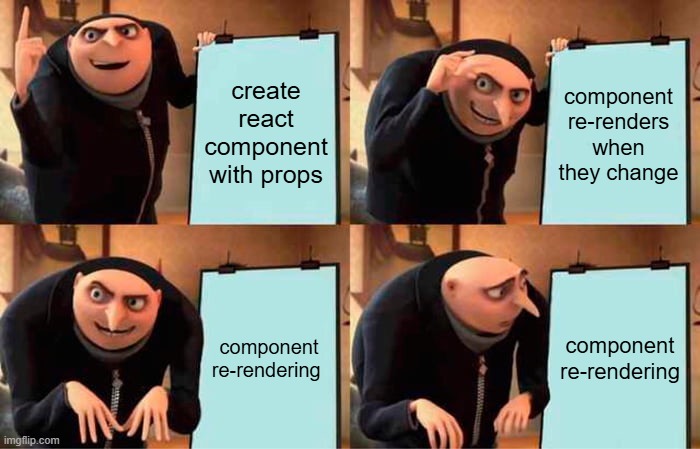
you create a component with state and props
the state and props change
the component re-renders
That’s pretty simple! Whenever state or props change the component re-renders, well in Solid this completely flips this paradigm on it’s head and the re-renders only happen when you are explicit about them through their built in reactivity (like signals). So if you want your component to re-render through a change in a prop, you have to explicitly define a listener of sorts, either through createMemo or createStore, and only then will your component re-render. So, unlike React, Solid has a philosophy of “I rendered, I’m not going to do that anymore whatever changes until you tell me to”.
This sounds like a horrible practice coming from React, if you have a bunch of props that change you would have to wrap them all up in some sort of a “hook” to make them reactive, right?
Well, not really, the props are not reactive by default, but they are if they are signals, so if you create some state in the parent, that is built with a signal, and pass it into the child, that prop is reactive, so in practice, you actually get almost an identical API to React without the extra re-renders.
After working with it and struggling to get things to re-render I’ve realised something really important about Solid.js architecture that really has a huge benefit over React:
It’s a lot easier to get something to re-render when you want it to, rather than getting it to not re-render when you don’t want it to!!
JSX is closer to the platform!
If you don’t already know this reading this, I’m personally very involved in the Remix/React Router ecosystem besides TanStack, and one of the biggest philosophies I have taken away from there is “use the platform”. This esssentially boils down to; “If there’s a web API, use it instead of creating your own wheels and abstractions with framework specific tools”. Well, Solid.js feels so much closer to the platform and let me explain to you why through some examples.
Have you ever worked with icons in your project? Have you ever had to go to something like lucide-react, find an icon you like, then copy it and paste it into your React code, and if you didn’t have your own fancy setup for processing icons into spritesheets or something like that you probably had to go through every svg and replace something like “class” into “className”!
Well, Solid doesn’t have special keywords for JSX, the props to the HTML elements do not have to be camelCased, they can be, but they don’t have to be, there are no “forbbiden” keywords like class or for as it allows you to be closer to the platform when it comes to HTML and the JSX flavor of Solid feels a lot better than the React one, and it also allows new people getting into it to learn to use the platform by using the actual HTML spec instead of a made-up one from React, which I really appreciate!
API’s just work as you expect them to!
As I’ve worked on @tanstack/devtools and the React and Solid adapters I’ve noticed one thing in Solid that is not the case with React, the API’s work the way you’d expect them to, and go beyond! Let me explain this with an example of portaling.
In order to bring the detached mode to devtools (where you can pop them into a separate window) I had to use portals to attach the devtools into a separate window. In order to do that we have a Solid.js core that gets mounted into a React app and it has to preserve your context and state while being mounted into a separate window, the only way to do that is by using createPortal from react-dom. I will share with you the exact code that is required to do so:
export const TanStackDevtools = ({
  plugins,
  config,
  eventBusConfig,
}: TanStackDevtoolsReactInit): ReactElement | null => {
  const devToolRef = useRef<HTMLDivElement>(null)

  const [pluginContainers, setPluginContainers] = useState<
    Record<string, HTMLElement>
  >({})
  const [titleContainers, setTitleContainers] = useState<
    Record<string, HTMLElement>
  >({})

  const [PluginComponents, setPluginComponents] = useState<
    Record<string, JSX.Element>
  >({})
  const [TitleComponents, setTitleComponents] = useState<
    Record<string, JSX.Element>
  >({})

  const [devtools] = useState(
    () =>
      new TanStackDevtoolsCore({
        config,
        eventBusConfig,
        plugins: plugins?.map((plugin) => {
          return {
            ...plugin,
            render: (e, theme) => {
              const target = e.ownerDocument.getElementById(
                e.getAttribute('id')!,
              )

              if (target) {
                setPluginContainers((prev) => ({
                  ...prev,
                  [e.getAttribute('id') as string]: e,
                }))
              }

              convertRender(plugin.render, setPluginComponents, e, theme)
            },
          }
        }),
      }),
  )

  useEffect(() => {
    if (devToolRef.current) {
      devtools.mount(devToolRef.current)
    }

    return () => devtools.unmount()
  }, [devtools])

  return (
    <>
      <div style={{ position: 'absolute' }} ref={devToolRef} />

      {Object.values(pluginContainers).length > 0 &&
      Object.values(PluginComponents).length > 0
        ? Object.entries(pluginContainers).map(([key, pluginContainer]) =>
            createPortal(<>{PluginComponents[key]}</>, pluginContainer),
          )
        : null}

      {Object.values(titleContainers).length > 0 &&
      Object.values(TitleComponents).length > 0
        ? Object.entries(titleContainers).map(([key, titleContainer]) =>
            createPortal(<>{TitleComponents[key]}</>, titleContainer),
          )
        : null}
    </>
  )
}
So here is how it works:
the devtools get mounted with the plugins provided by the user
whenever a plugin is clicked it adds it into the plugin array
it creates a createPortal implementation for every plugin to preserve the contexts under the element the devtools are mounted to
Why does this need to happen? Well, despite createPortal being a function that mounts JSX to a given element, it’s drawback is that it HAS TO BE rendered in the JSX or it doesn’t work. Which means instead of doing something like:
render: (e, theme) => {
  const target = e.ownerDocument.getElementById(
    e.getAttribute('id')!,
  )

  if (target) {
    createPortal(<div>hello</div>, target)
  }
},
We have to do the hack monstrocity above to set it into state and swap it in and out and use JSX to render it. At this point you’re probably wondering what this looks like in Solid.js? Well, here you go:
export default function SolidDevtoolsCore({
  config,
  plugins,
  eventBusConfig,
}: TanStackDevtoolsInit) {
  const [devtools] = createSignal(
    new TanStackDevtoolsCore({
      config,
      eventBusConfig,
      plugins: plugins?.map((plugin) => ({
        ...plugin,
        render: (el: HTMLDivElement, theme: 'dark' | 'light') =>
           <Portal mount={el}>
            {typeof plugin.render === 'function' ? plugin.render(el, theme) : plugin.render}
          </Portal>
      })),
    }),
  )
  let devToolRef: HTMLDivElement | undefined
  createEffect(() => {
    devtools().setConfig({ config })
  })
  onMount(() => {
    if (devToolRef) {
      devtools().mount(devToolRef)

      onCleanup(() => {
        devtools().unmount()
      })
    }
  })
  return <div style={{ position: 'absolute' }} ref={devToolRef} />
}
Web components
The example from above wasn’t enough? Let’s talk about web components, we’ve been trying to integrate web components into @tanstack/devtools-ui to allow anyone to use them in any framework with next to 0 setup. This was made easy with Solid.js solid-element library that converts any Solid component into a web component which is awesome in of itself, but after creating and testing out the components in Solid (which took me around 30 minutes to do) it was time to try them out in React.
Well, not only do they absolutely not work at all in any version older than React 19 because React doesn’t properly support web components, in React 19 they take whatever prop you pass into a web component and stringify it to a string, you have to manually define each prop to not be a string in order for React to pass it in properly, and if you’re trying it prior to React 19, good luck!
In Solid, the components just work, even if you don’t manually define the props it still all works as you expect it to work without any additional setup. Web components aren’t a big deal for everyone and I understand that, but as you can see with this, and the previous example, whatever we try to do, React usually fights us on it, while Solid is fine with it and makes it work.

Final thoughts
The more I work with Solid the more I realise I have to fight React on a lot of things I shouldn’t have to fight it on, I don’t plan to make extreme statements in this article but Solid has been a breath of fresh air and it has opened my eyes to what React could be, but probably never will be. The ecosystem is always in favor of React and we would have to move mountains to change that, especially now with AI. I would rather enjoy working on Solid projects instead of React ones, and if you took the Solid pill I think you would enjoy it as well. It’s design is great and it’s very enjoyable to work with when you understand how it works.
I don’t think using React is a wrong choice by any means, but expanding your horizons is definitely something I could recommend after trying Solid. I am looking forward to seeing how Solid develops in the following years and I’m very happy I got exposed to it!
Thank you!
If you’ve made it this far, you’re a champ! Thank you for reading, and if you want to support my work and follow what I do you can do so on most social media under the handle AlemTuzlak!
My react-router workshop is dropping soon, if you’re interested make sure to sign up to the newsletter to not miss it here:
https://www.epicweb.dev/newsletter


